Hacker News demo on the cartridge
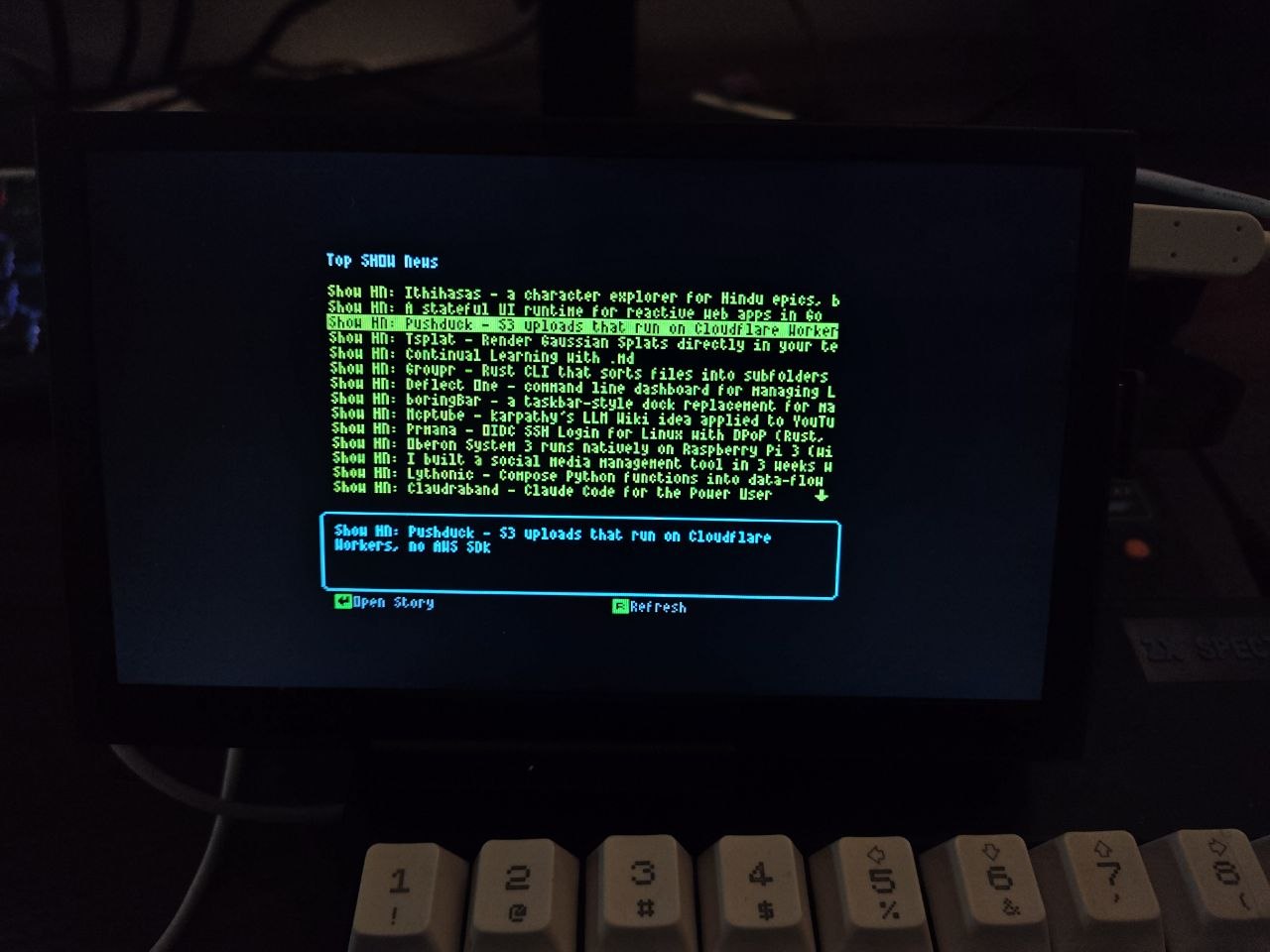
There is now a Hacker News demo you can try on Spectranext. It pulls the current front page from the real site and shows story titles and links on your Spectrum—so you can read what is hot today without any proxies.
Modern sites send large data (feeds, pages full of markup). A stock Spectrum does not have the room or speed to search and slice that kind of payload in a practical way. Spectranext provides engine calls: the Spectrum can ask the cartridge to cut the feed down to what fits in RAM. More on how engines work and what you can call: Engine calls on the docs site.
What you see
You run the demo, it fetches the list, and you get lines you can scroll through—headlines and URLs from the current HN front page. It is a simple proof that the cartridge is not only “online” but useful for real, current web content on original hardware.
For those (very few) that have Spectranext, execute "!" from main screen and navigate to new resources "HackerNews client demo".
You can also use FuseX emulator, which supports spectranext here. If you encounter issues with it, file a bug here.
Demo source code
You can see how the demo works in the SDK repo. The same pattern is what the firmware tests use for the jsonpath engine against the public HNPWA JSON API (Hacker News as JSON over HTTPS). In short:
- Mount HTTPS at a free slot (mount point 3 is the usual choice for app data; 0 is normally RAM). The test mounts the API root like this:
mount(3, NULL, NULL, "/v0", "api.hnpwa.com", "https"); - Run the engine with
spectranext_enginecall. The engine "downloads" the JSON from mount point 3, evaluates the paths, and writes a packed binary to RAM:spectranext_enginecall(
"3:news/1.json",
"news.bin",
"jsonpath '$[*][\"id\",\"title\",\"url\"]'"); - Switch to RAM and open the output file produced on the RAM filesystem, then read the engine binary format (length-prefixed strings: count, then id/title/url triples for each story). The demo code parses that and prints lines on screen:
setmountpoint(0);
int fd = open("news.bin", O_RDONLY, 0);
/* read count, then each string per docs */
close(fd);
umount(3);
Details and error codes: Engine calls and spectranext_enginecall.
Loading the demo manually
%mount 1, "https://spectranext.net/demo/hn"
%fs 1
%load ""