Development continues
Spectranext development continues. The latest work is focused on making the built-in tools more capable.
If you're interested to try this already (although it could be buggy), do
- Select Configuration
- Spectranext settings
- Over-the-Air Update
- Select
2for BETA - Save
- Reboot
- Receive an update
There is still plenty to build, but these changes are moving Spectranext toward a system where built-in tools are easier to extend.
A more capable built-in filesystem
The built-in overlayed filesystem is receiving an upgrade.
Several key system programs are being re-implemented as .tap programs rather than being Spectranet modules.
This includes programs such as the Resource Index and, eventually, the Browser.
The /sys folder is provided through the overlay itself, so its contents do not consume space from the 4MB of onboard storage.
The Resource Index was previously implemented as a 4K Spectranet module, which placed a hard limit on how much functionality it could provide. Rebuilding it as a separate executable TAP file gives it room to become a much better resource navigator and makes future improvements considerably easier. Plus, one less module off the Spectranet's ROM.
ESXDOS Compatibility
Work is being done towards being ESXDOS compatible. That means that programs (tap files etc) that would previously expect to be in DivMMC environment, should now load on Spectranext, because Spectranext implements the RST08 mechanism the same way.
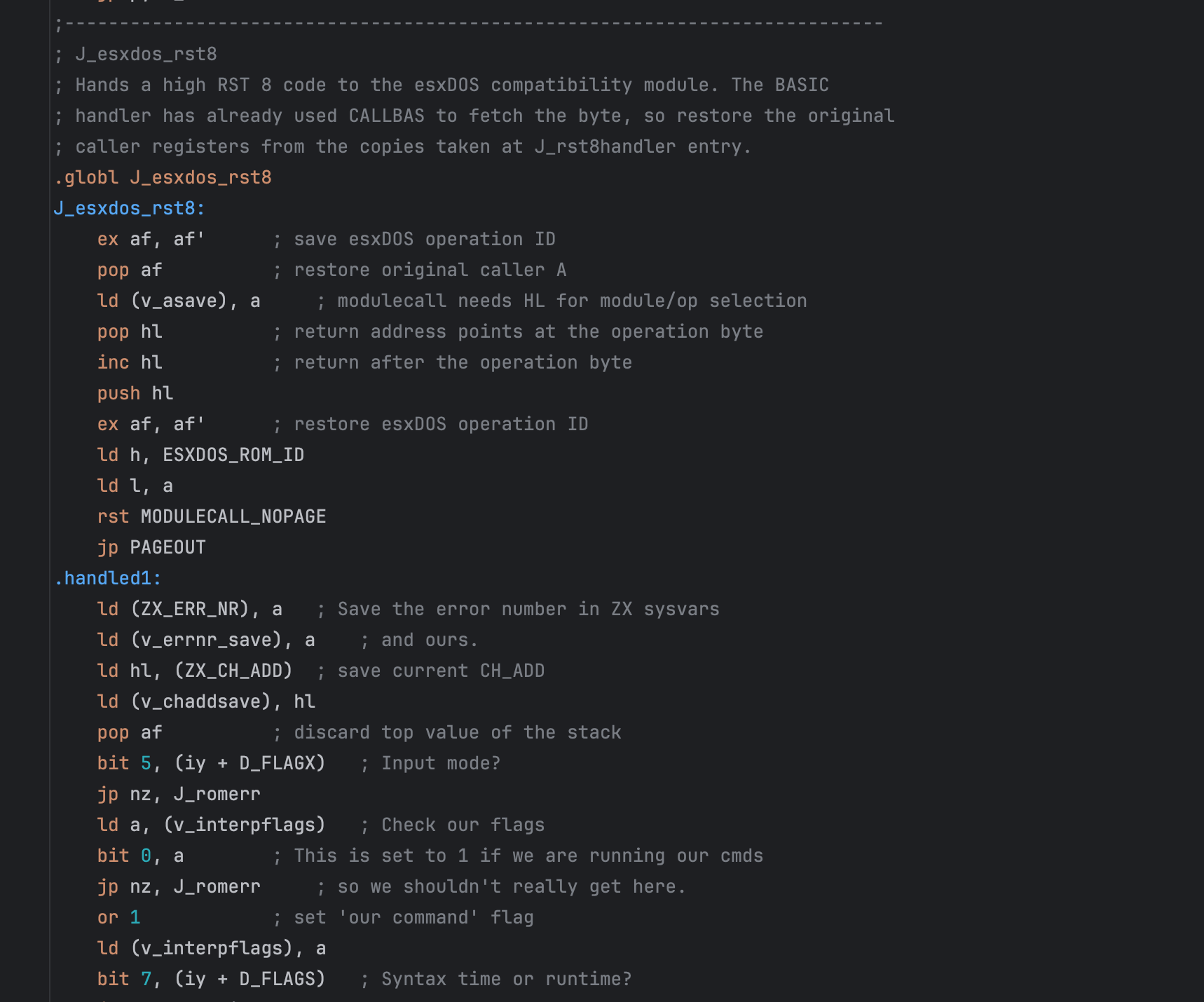
If you have a favourite programs from EsxDOS that you would like to work with Spectranext, feel free to reach out
Work on the built-in Browser
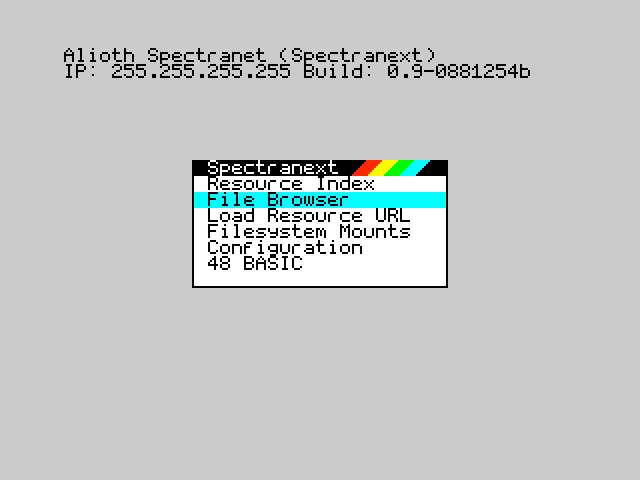
Work is also underway on a new built-in Browser. Its goal is to provide a place for navigating the local filesystem,
TNFS folders, and other available resources, in place of doing %cat and %cd operations.
The Browser will be provided as a TAP file in the sys folder. Since it is an application rather than
a fixed part of the firmware, users will be able to replace it with their own version.
The main requirement is that a replacement Browser supports the relevant ESXDOS or Spectranet VFS file operations.
Progress on Unbound
There is progress on Unbound, too. One of the game's key concepts is being revisited: programming bots to perform repetitive tasks.
As key mechanics matured, I realized the most potential is not in "let's play this game in this environment" but instead in "wouldn't it be cool to program 100% native basic and let it affect something".
The idea is to write a BASIC program and give it instructions for work that would otherwise become tedious. For example, a bot could dig out a particular area, or search for and dig coal wherever it can be found. The player would define the behaviour, then let the bot carry out the routine while they focus on other parts of running the outpost.
Integration point
Every computer in game is a 48k machine, with stock rom. Although, printer stream has been modified to let programs issue commands, and receive responses.
190 LPRINT "GETK": INPUT #3;X;Y
This piece of code lets the bot know where it is.
Example code for the video above
10 BORDER 0: PAPER 0: INK 7: CLS
15 LPRINT "LOGM Hello from digger"
20 PRINT AT 2,8;"UNBOUND DIGGER"
30 PRINT AT 5,4;"CHOOSE DIRECTION"
40 PRINT AT 7,7;"L - DIG LEFT"
50 PRINT AT 8,7;"R - DIG RIGHT"
60 PRINT AT 10,4;"PRESS L OR R"
70 LET A$=INKEY$: IF A$="" THEN GO TO 70
80 IF A$="l" THEN LET D$="LEFT": GO TO 110
90 IF A$="r" THEN LET D$="RIGHT": GO TO 110
100 GO TO 70
110 CLS: PRINT AT 4,5;"HOW MANY BLOCKS?"
120 INPUT N
130 IF N<1 THEN GO TO 110
140 CLS: PRINT AT 2,5;"DIGGING ";D$
150 FOR I=1 TO N
160 IF D$="RIGHT" THEN OUT 130,1
170 IF D$="LEFT" THEN OUT 131,1
180 PAUSE 12
190 LPRINT "GETK": INPUT #3;X;Y
200 IF D$="RIGHT" THEN LET TX=X+2
210 IF D$="LEFT" THEN LET TX=X-1
220 LET TY=Y: GO SUB 500
230 LET TY=Y-1: GO SUB 500
240 LET TY=Y-2: GO SUB 500
250 LET TY=Y-3: GO SUB 500
260 PRINT AT 6,3;"[";
270 FOR J=1 TO 20
280 IF J<=I*20/N THEN PRINT CHR$ 143;
290 IF J>I*20/N THEN PRINT " ";
300 NEXT J
310 PRINT "]"
320 PRINT AT 9,7;I;" OF ";N;" BLOCKS"
330 NEXT I
340 PRINT AT 14,6;"DIG COMPLETE!"
350 PAUSE 80
360 GO TO 10
500 LPRINT "PICK ";TX;",";TY
510 INPUT #3;S
520 IF S<>0 THEN PRINT AT 15,0;"CANNOT DIG ";TX;",";TY: STOP
530 PAUSE 6: RETURN
To make development painless, a work on separate "simulator" is being done so programmers can test their programs in a controlled environment, before applying it in the game.
Another example would have computers executing actions, like opening doors
With something along the lines of
10 LPRINT "POST A,OPEN"
20 PAUSE 100
30 LPRINT "POST A,CLOSE"
40 PAUSE 100
50 GO TO 10
This direction fits Unbound's setting particularly well. It makes automation something the player builds and manages, rather than a simple button that completes a task instantly. We are still working through the details, but bot programming is shaping up to be an important part of how work gets done on the planet.