What's new in Spectranext 1.1 and revision C
Spectranext 1.1 is available now, and revision C is the next board. This update adds support for external USB device like thumb drives or Joysticks, adds DivMMC compatibility, and other improvements.
The firmware improvements work on existing boards, including revision B. USB drives, controllers, and hubs need revision C's USB host hardware.
Revision C
Revision C adds USB host support. Expansion connector has been moved to the other side of the PCB to make device fit better and mitigate Case Height issue. The backplate of the pass-through connector (that can take a second device such as ZX-HD) is now snaps with magnets. The 48K / +2 / +3 switch remains.
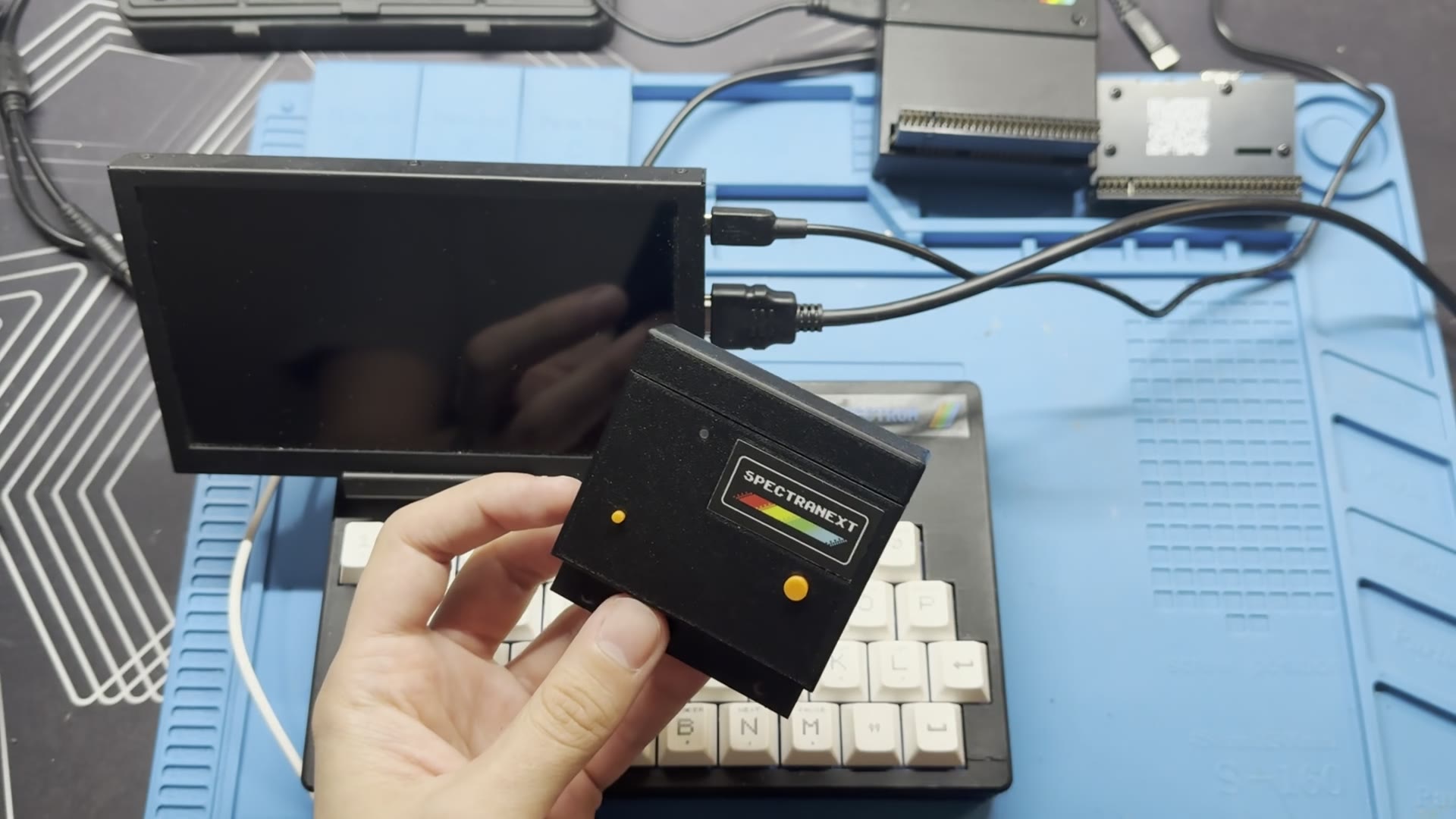
If you have an earlier board, there is no need to replace it for SFTP, DivMMC compatibility, or the other firmware 1.1 improvements. USB host mode is the reason for the new hardware.
Bad Apple demo
Bad Apple plays at 192 × 144 pixels and 25 frames per second, with music. It also works on earlier boards running 1.1. A 48K Spectrum needs an AY interface for the music.
The whole film does not fit in the Spectrum. Spectranext fetches about 1 MB at a time, enough for roughly eleven seconds. One part plays while the next arrives. I made this as a test of what a Spectrum can do when it does not have to hold everything in memory at once.
I added a second controller channel for this. The player can ask for the next part while it keeps drawing and reading the part it already has. Programs can use the same approach. The source is available if you want to see how I did it.
SFTP
Firmware 1.1 can mount a folder on a computer or server over SFTP. Files appear through the usual Spectranet commands and browser. You can read them, copy them into onboard RAM, and write back if your SFTP account permits it.
This is useful when developing on a real machine. You can build a program on your computer, (mount) load it on the Spectrum, change it, and load it again. There is no SD card to move between the two. The SFTP guide explains how to set up the connection.
In contrast, you can upload files onto the device using USB-C cable
DivMMC compatibility
Many people already have a DivMMC and an SD card full of programs. Spectranext 1.1 can work alongside them, even on revision B.
DivMMC starts first. The .spx command starts Spectranext when you want
it, or you can add the command to the card's startup program. The
SPXINST.TAP installer helps with that setup. Spectranext can then
mount the SD card as esxdos://, so its files are available to
Spectranet commands and programs. Your existing card stays useful while
you add networking. Debugging is unavailable in this mode.
By default, Spectranext does not expect a DivMMC device. On revision B boards, using both devices without enabling DivMMC compatibility can cause a dangerous bus conflict. Do not power them together until Spectranext is correctly configured.
There is one important setup step: enable compatibility while DivMMC is removed or disabled, then disconnect all power, including USB before connecting both cartridges. Reset alone is not enough. On revision B, skipping this can cause a bus conflict. Follow the DivMMC guide before powering the pair together.
USB storage
With revision C, a USB drive can become part of the Spectrum's normal filesystem. Plug in a FAT or exFAT drive through a USB-C port, and its files appear without a separate mount step. You can load from the drive and save to it directly.
The cartridge has 4 MB of temporary RAM and 4 MB of flash for files you choose to keep. A USB drive means you can bring a much larger collection without first deciding which files fit onboard. When connected, it takes priority in the filesystem overlay. New uploads go to the drive and survive power-off without Commit To Flash. Finish transfers and eject the drive before unplugging it.
USB controllers and hubs
Revision C can use a wired USB controller as a Kempston joystick. Select Kempston in a game, and you can play without a Spectrum-side driver or button setup.
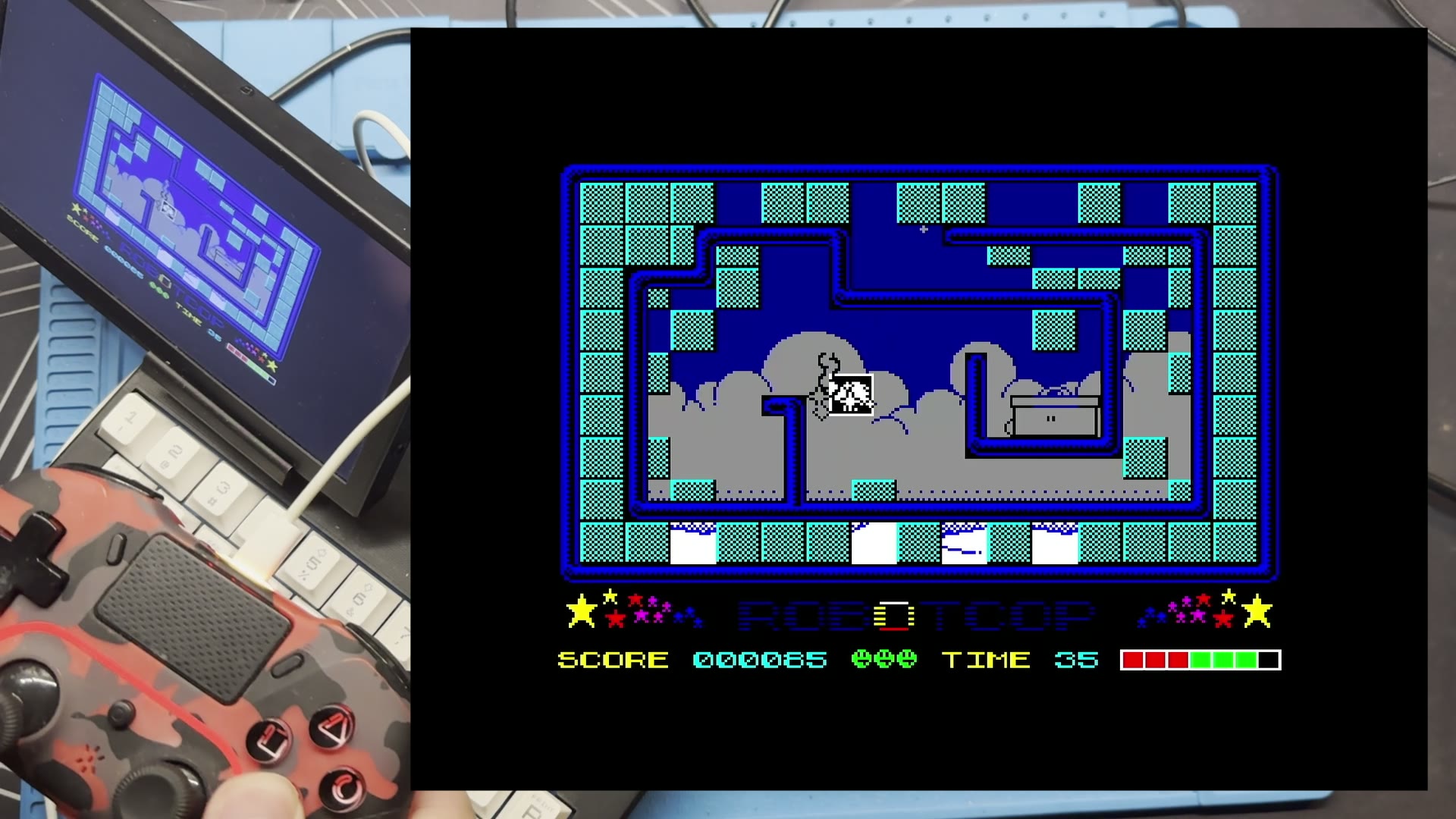
USB hubs are supported too. That lets one USB-C port serve a drive and a controller at the same time.
This USB host hardware also gives me room to try other devices in later firmware. A keyboard is an obvious possibility. It is an idea I want to explore, not a feature in 1.1.
Device web tools over Wi-Fi
The web tools
work without a cable to your computer. Put both the computer and
Spectranext on the same Wi-Fi network, find Spectranext's IP address in
its network configuration, and type it into your browser as an HTTP
address. For example, if the IP is 192.168.1.42, open
http://192.168.1.42/.
The page comes from the cartridge itself. You can browse, upload and download files, open the console, and view the Spectrum's screen. This is especially useful when the USB-C port has a drive or controller connected. Wi-Fi setup now shows signal strength, making it easier to spot a weak connection.
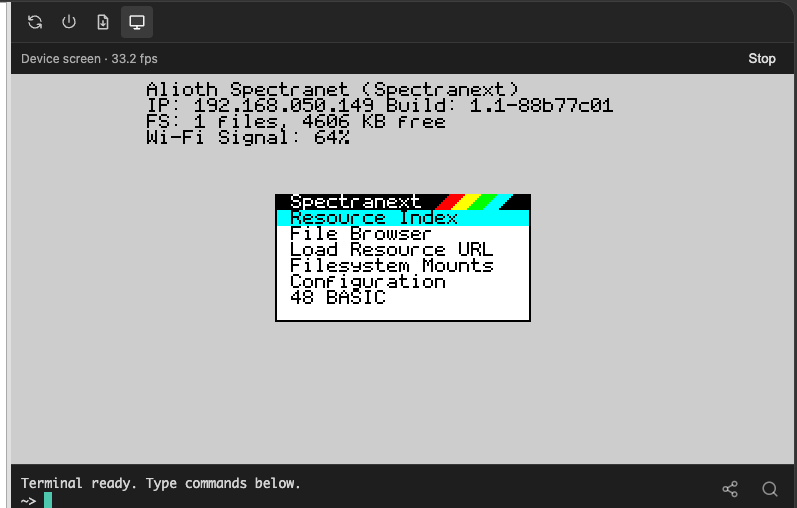
Firmware updates can also include bootloader and Wi-Fi firmware updates when needed.
Try it in FuseX
I have updated FuseX for the new Spectranext features in 1.1. You can run Bad Apple there and try the software side of SFTP and DivMMC without a cartridge. The new controller channel works in the emulator too.
If you are curious, download FuseX
and give it a try. If you write Spectrum software, the SDK and spx tools
can connect to FuseX over TCP, so you can test your program on your
computer before moving to a real machine.
What comes next
I am aiming to get revision C to a distributor by the end of October 2026. Existing owners can update to 1.1 and use the firmware features now.
I am also looking into native Spectrum Next support. For now, it still needs the +2 personality setup, I do not have a date for native NextZXOS support.
If you try the new features, please tell me what works and what gets in the way. I read the feedback, and it helps me choose what to work on next.